Table of Contents
Video summarising release
Scheduled Task Failure emails
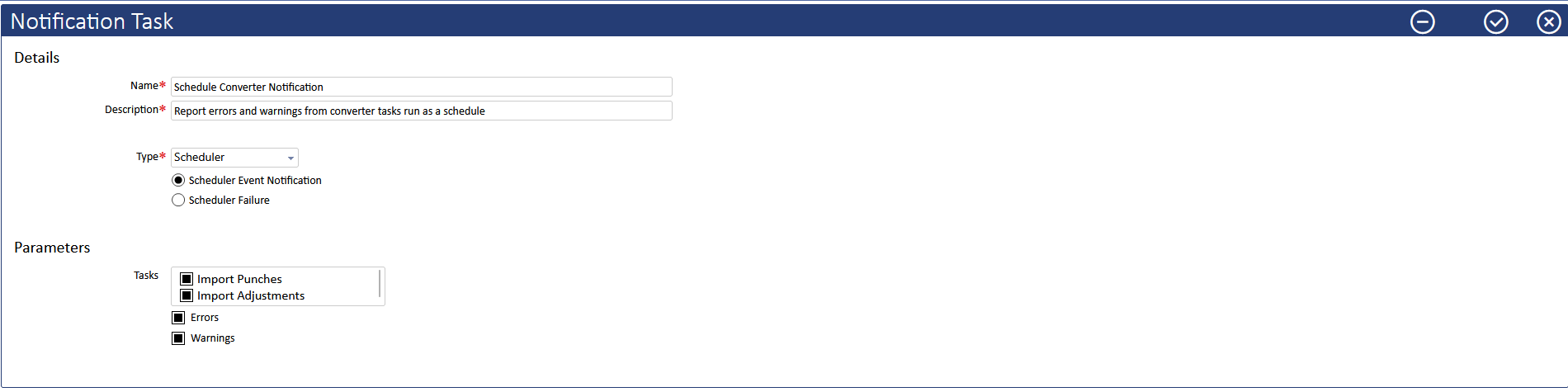
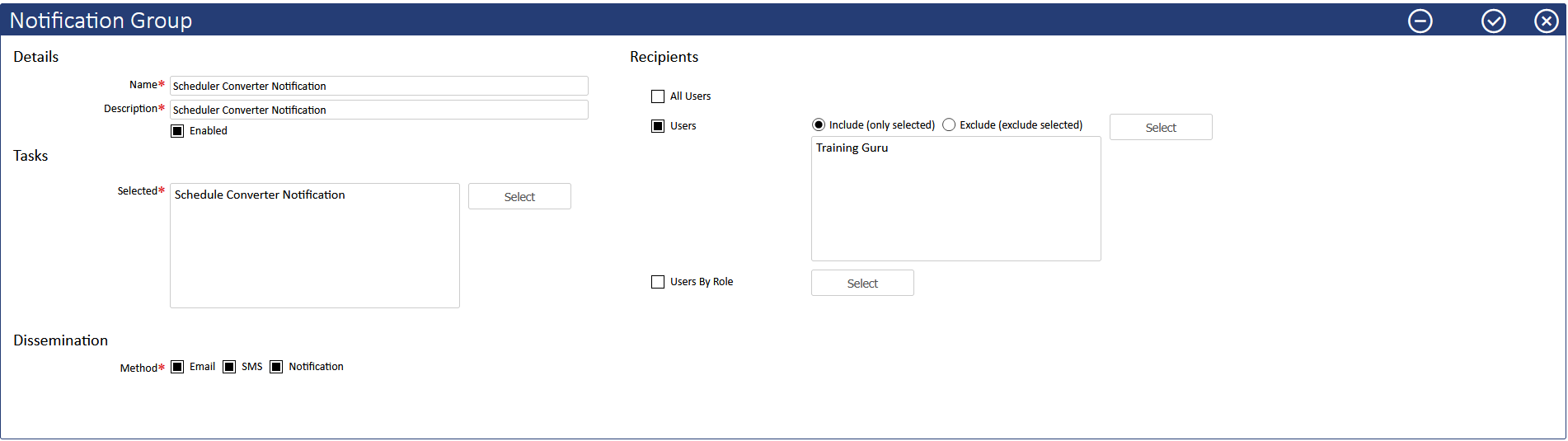
Scheduled Converter tasks currently log Warnings and Errors in the System Log. In v1.27 it is now possible to configure a System Notification to email, SMS (if configured) and trigger the Bell icon
Step 1: Identify the Scheduled Conversion and Enable the System Notification Task
Step 2: Enable the Notification Group
Outside Fence Time Approval
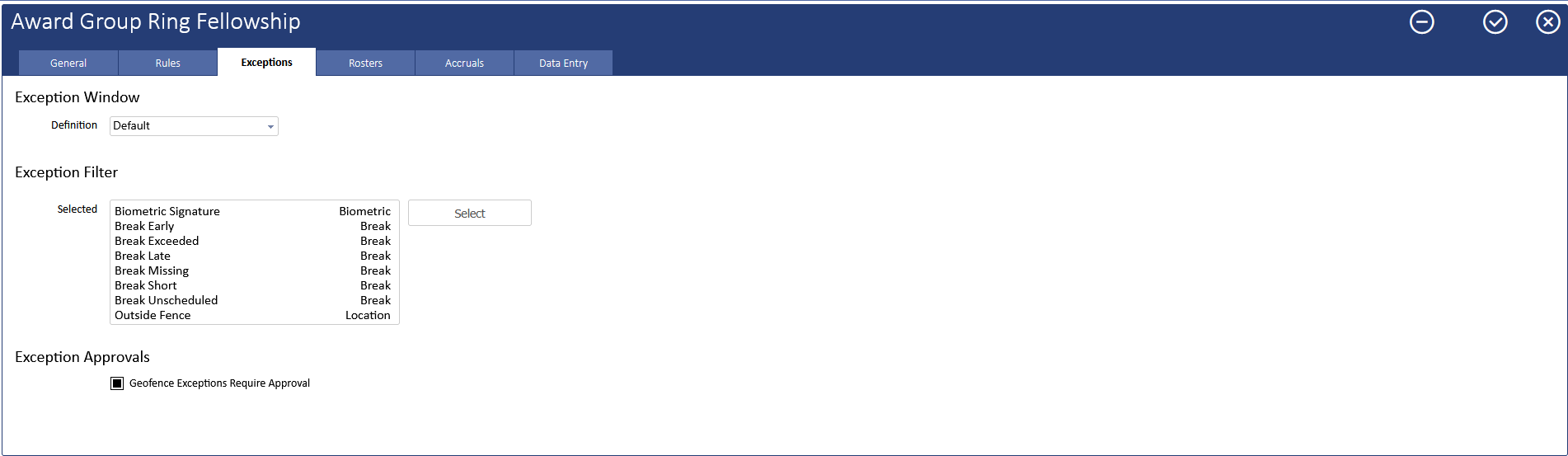
v1.27 introduces the option to require Time segments, generated by punches outside configured Geo Fences, to be Approved by a Supervisor/Manager
Controlled at the Award, Enable as required
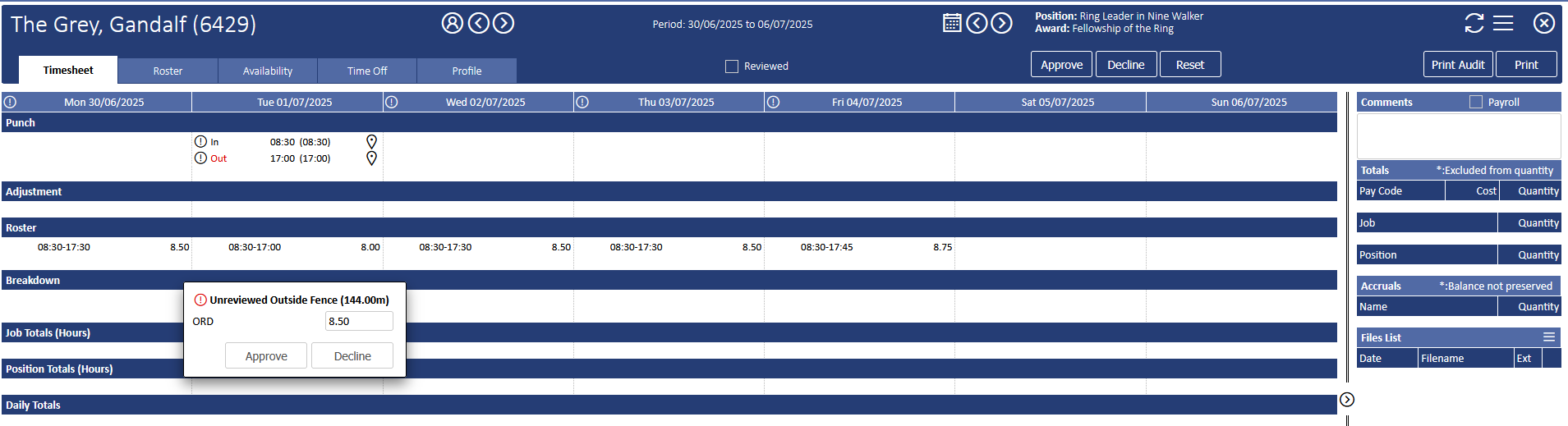
Similar to existing Approvals (Early Start, Late Finish, Weekly Overtime) the timesegment requires a Supervisor/Manager to Approve/Decline the Outside Fence time
Mobile App refresh (coming soon)
During 2024 changes to the Microsoft Notification Hub impacted the ability of the iDt mobile app to receive Android Notifications
As part of the User Interface (UI) refresh for both Android and Apple versions of the app, Notifications will be reinstated